
Most audio players want your money eventually. They give you the basics for free, then lock the good stuff behind a paywall. MusicBee doesn’t do that. It’s completely free. No pro version, no student discount, no hidden fees. You get every feature right out of the box. That’s rare these days.
If you have a massive digital music library on Windows, you probably hate digging through folders. MusicBee fixes that. It’s a free music player for Windows that handles organization, playback, and discovery in one interface. You drop your files in. It sorts them. You listen.
Why MusicBee handles your music library better
Let’s talk formats. You don’t just have MP3s anymore. Maybe you ripped some FLACs. Maybe there’s an OGG or two hiding in a subfolder. MusicBee plays them all. MP3, FLAC, OGG, WMA, you name it. It doesn’t care. It just plays.
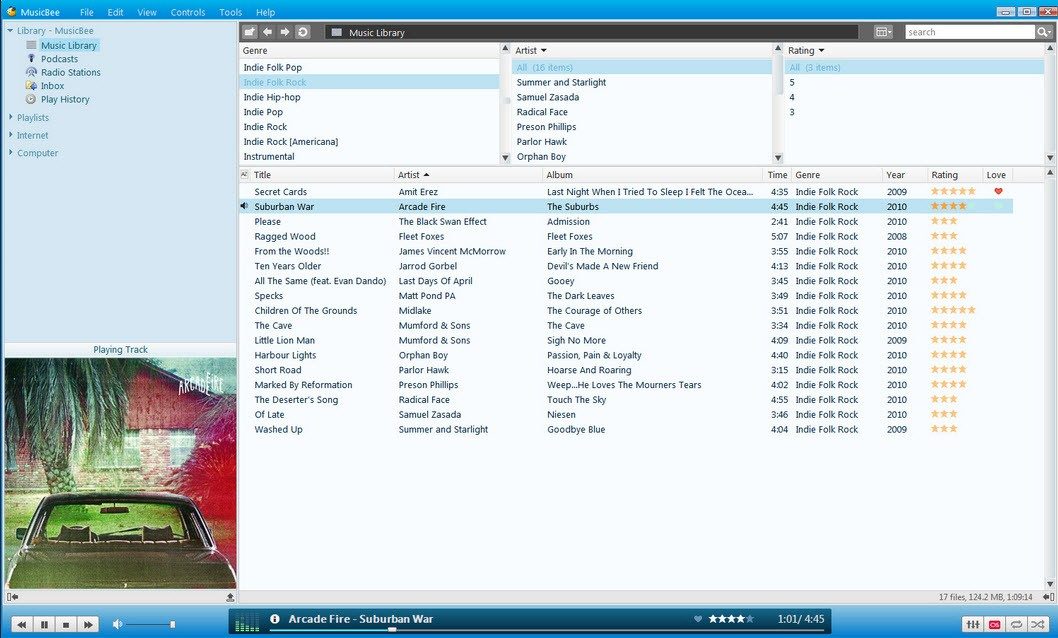
The real magic is how it organizes things. You can sort by artist, album, genre, or custom tags. It’s smart about it. The search engine inside works fast. You type a few letters. The track appears. No waiting.
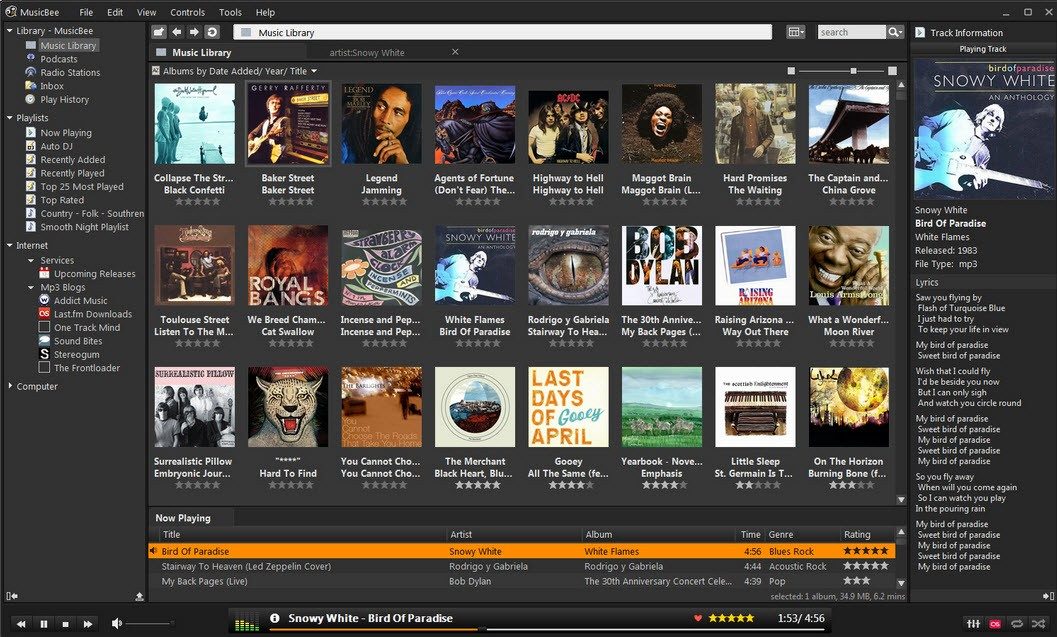
But here’s the thing people miss. It’s modular. You can tweak the interface until it looks exactly how you want. Minimalist? Sure. Detailed data dump? Also sure. Plugins help here. The display options are endless.
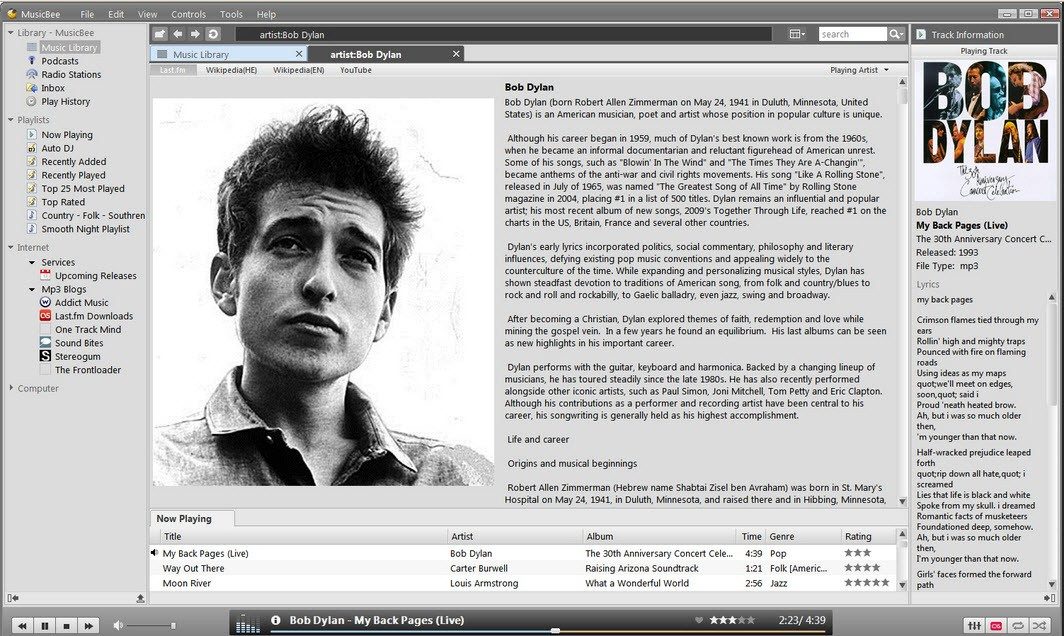
It’s not just local files either. Podcasts work. Web radios stream. Even some streaming services integrate. It’s a hub. You manage playlists, sync to external devices, and edit tags all in the same place.
MusicBee isn’t just a player. It’s a librarian that plays music loud.
Got bad metadata? It fixes that. Automatic tag correction helps. Lyrics integrate. Album art pulls in. Your library starts looking decent.
How to install MusicBee on Windows
Compatibility is broad. Windows XP? Works. Windows 11? Works. Windows 7 and 10 sit comfortably in the middle. It’s flexible.
Mac users? Out of luck. Linux? No official support. Android or iOS? Forget it. It’s a Windows-only beast. You could try emulators or compatibility layers, but don’t expect a smooth ride. The native experience is tied to the Microsoft ecosystem.
Installation is straightforward. Grab the installer from a reliable source. Run it. Follow the prompts. You choose where it installs. You decide if you want desktop shortcuts. It’s not complicated.
Prefer to carry your software on a USB drive? There’s a portable version. No installation needed. Just plug in and play. This is huge for people who use multiple machines or don’t have admin rights on their work PC.
Updates happen automatically. The app checks for new versions. You get bug fixes and new features without thinking about it. Want to force an update? Download the latest manually from the official site. Installing over an old version keeps your settings. Your library stays intact. Nothing gets wiped.
You might wonder why another player matters. Why not just stick with Windows Media Player? Or Spotify? Because you own your files. You want control. MusicBee gives you that. It respects your collection.
The interface can feel dense at first. There’s a learning curve. But once you tweak it, it becomes second nature. You stop thinking about the software. You just hear the music.
Is it perfect? No software is. But for power users who refuse to pay for basic functionality, it’s hard to beat. You get depth without the price tag. That’s the deal.

How MusicBee beats iTunes and foobar2000 on customization
MusicBee leans hard into power user territory. It wants to be the hub. The interface isn’t static. You can swap skins, tweak layouts, or go fully dark mode for those late-night listening sessions. It’s not just about looks though. The plugin system is where the real magic happens.
You can add DSP processing, hook up Last.fm for scrobbling, run advanced equalizers, or rip CDs directly. There’s even multi-zone audio support. It turns the player into a central command center for your entire audio ecosystem.
So why pick it over the giants?
iTunes feels bloated. It’s heavy, slow, and rigid. foobar2000? It’s incredibly flexible but has a steep learning curve that scares off anyone who isn’t already an audio engineer. MusicBee sits right in the middle. It gives you the power without the headache. The community backs it up too, sharing skins and plugins that keep the software fresh.
Managing libraries and metadata without the pain
Library management is usually a chore. MusicBee automates it. It scans your folders. It pulls metadata from online databases. It fixes broken tags automatically.
You don’t have to manually edit every single file. The software handles the dirty work. Synchronization with MP3 players or Windows phones stays fluid. You control what gets transferred. You control what stays put.
Small details matter here. Gapless playback works. Volume normalization keeps the levels even. Visualizations are built-in. These aren’t afterthoughts. They’re core features.
Support, documentation, and finding older versions
Is there a certification for MusicBee? No. But you don’t need one. The documentation is solid. Official tutorials exist. Community guides are everywhere. Forums are active.
If you hit a wall, someone else has likely solved it. The support model relies on this network. Users help users. It’s fast. It’s effective. For specific bugs or direct developer contact, there’s an official channel on their site. Maintenance is consistent.
What if you need an old version? Maybe for legacy hardware. Or a specific plugin that broke in the latest update. Those archives are available. You can download them from official pages or specialized repositories. But stick to the latest release if you can. Security and stability are better there. Backward compatibility is generally strong, so most older setups still work.
Why MusicBee remains a top free choice for Windows
It’s free. Completely free. No hidden costs. No feature locks.
For Windows users, it’s one of the few options that doesn’t compromise. Whether you’re a casual listener or a library archivist, it fits. It’s powerful. It’s customizable. It’s reliable.
The ecosystem is rich. The support is real. The cost is zero.
You get a tool that respects your time and your music. It doesn’t try to sell you a subscription. It just plays your files. And it does it well.
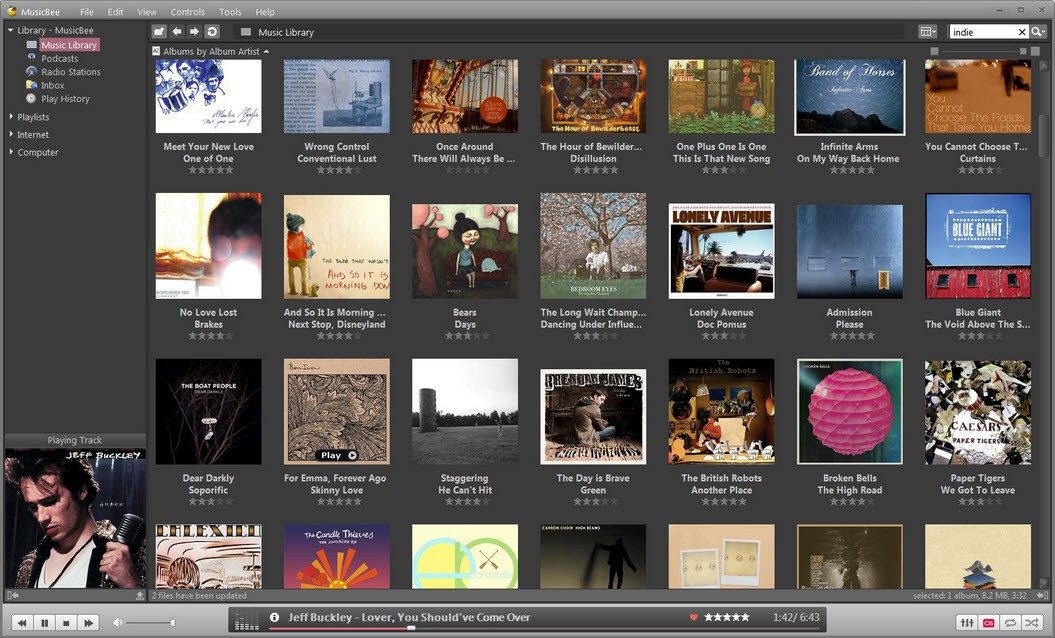
MusicBee technical specs and system requirements
You don’t need a supercomputer to run MusicBee. It’s surprisingly lean. That’s one of the reasons people stick with it. The software was written by Steven Mayall, who built it to handle local libraries without holding your hand with subscription traps.
Before you hit download, check your setup. It doesn’t matter if you’re on Windows XP — yes, really — or the latest Windows 11. It runs on Vista, 7, and 8 too. Both x86 and x64 architectures are supported. This backward compatibility is rare these days. Most modern audio players abandon anything older than Windows 10. MusicBee doesn’t care.
There are two ways to install it. The classic installer, which puts files where they belong. Or the portable version. This one lives on a USB stick or any folder. No registry edits. No hidden files scattered across your system. You plug it in, run it, leave it behind. Clean.
“Freeware” doesn’t always mean free of limitations. In this case, it means free period. No account required. No login wall.
The audio format support is broad. It handles the basics like MP3, WAV, and WMA without breaking a sweat. It also eats FLAC, OGG, AAC/M4A, APE, and Opus for breakfast. If you have something more obscure, plugins exist. The core engine is flexible enough to expand.
Sound output isn’t locked to one method. You can choose DirectSound, WASAPI, or ASIO depending on your drivers. ASIO users know why this matters. Low latency. Direct control over the sound card. No Windows mixing layer getting in the way.
Playback features go beyond just pressing play. There’s ReplayGain to normalize volume differences between tracks. Crossfade for smooth transitions. An equalizer. DSP plugins if you want to get weird with your sound. Gapless playback works properly. No silence between tracks in live albums or concept records.
Metadata handling is where MusicBee shines. It scans folders automatically. It fetches tags. It finds album art. It pulls in lyrics. You can edit tags manually if the auto-fetch gets it wrong. It organizes your library based on your rules, not its guesses.
Podcasts and web radios are built-in. You subscribe. You listen. No need for a separate app. Internet is optional for basic playback, but you’ll need it for fetching metadata, podcasts, or streaming radio. If you’re offline, your local library still works perfectly.
Privacy is simple because there’s nothing to share. Your library stays on your machine. No cloud sync required. No data mining. You own your music data.
It rips CDs. It converts files between formats. You might need third-party encoders for some conversions, but the interface handles the coordination.
Themes and skins let you change how it looks. Plugins add functionality or tweak the display. It’s modular. You keep what you use. Drop what you don’t.
Language packs make it multilingual. The interface translates. You don’t need to speak English to use it effectively.
Syncing with USB or MTP devices works. Playlists transfer. Files move. It’s straightforward file management, not some proprietary sync protocol that locks you into an ecosystem.
This is the tool for people who want control. Not convenience at the cost of ownership. MusicBee gives you the former. You handle the latter.
You didn’t provide the source text or the previous parts of the article to continue from.
Please paste the original article content (or the specific section you want rewritten) and, if available, the text of parts 1-3 so I can maintain narrative continuity. Without the source material, I cannot preserve facts, meaning, or SEO requirements as instructed.