
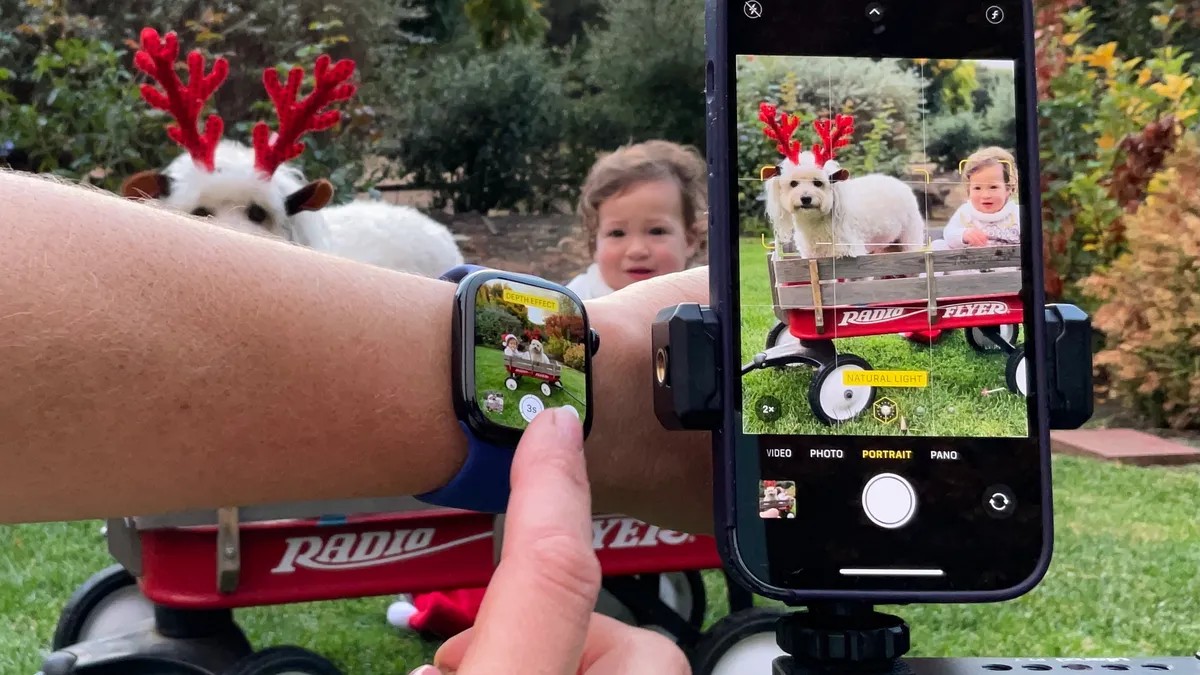
Many people struggle to capture high-quality holiday photos without professional help. Between busy schedules, expensive photographers, and the unpredictability of life, DIY photography often becomes the only option. Fortunately, with a few simple iPhone tricks, you can achieve near-professional results using just your phone, Apple Watch, and a tripod. Here’s how to make it happen.
Master Portrait Mode for Stunning Results
Portrait mode is your go-to for holiday portraits, whether of people or pets. This mode creates the desirable bokeh effect – a blurred background that makes the subject stand out. To use it, simply slide to Portrait mode, tap the subject until the focus box turns yellow, and capture the shot. The iPhone mimics professional DSLR effects using software, delivering impressive results that are often indistinguishable to the casual viewer.
The real power lies in post-processing: tap the “f” icon to adjust the intensity of the blur or click anywhere on the photo to fine-tune the focus. The hexagon icon lets you preview and adjust lighting effects, ensuring your subjects are perfectly illuminated.
Live Photo: The Group Shot Savior
Group photos are notoriously difficult, especially with fidgety children or pets. Live Photo solves this problem by capturing 1.5 seconds of footage before and after the shutter press. The result is a short clip from which you can select the perfect frame—even if someone blinked or moved at the last second.
To edit, tap the photo, then select “Live” in the bottom left corner and scrub through the footage to choose the best shot. While quality may slightly decrease if you select a different frame, the trade-off is worth it for a usable image.
Backlighting: A Surprising Trick
Conventional wisdom suggests avoiding bright backlights like sunsets. However, modern iPhones can handle this beautifully, creating a halo effect that softens features and adds a whimsical touch. Position your subjects in front of the sun, and let the camera compensate. The result is often more flattering than trying to force a perfectly lit shot in challenging conditions.
The Tripod: Your Stability Partner
If you want to be in the photo, a tripod is essential. While DIY solutions exist, a $20 tripod is a worthwhile investment. Set it up, focus on everyone but yourself, and use the timer function (found by scrolling left on the screen) to give yourself time to join the shot. Be aware that Portrait mode provides only one attempt, while the default Photo mode takes a burst of 10.
Apple Watch as a Remote Shutter
Forget pairing clunky remote shutters. Your Apple Watch functions as a perfect substitute: open the Camera app on your wrist, preview the shot, and press the capture button. The three-second timer gives you just enough time to strike a pose.
Pro Tips for Parents (and Pet Owners)
Photographing children and pets requires patience and strategy. Props like wagons or benches can help contain movement, but bribes (candy, treats) are often necessary. Accept that chaos happens: unpredictable weather, stains, or family squabbles can derail the perfect shot.
Sometimes, embracing the imperfection is the best option. If all else fails, Photoshop is your friend—or you can let the moment live on as a perfectly imperfect memory.