The night sky is no longer just a visual spectacle. This is a data mine.
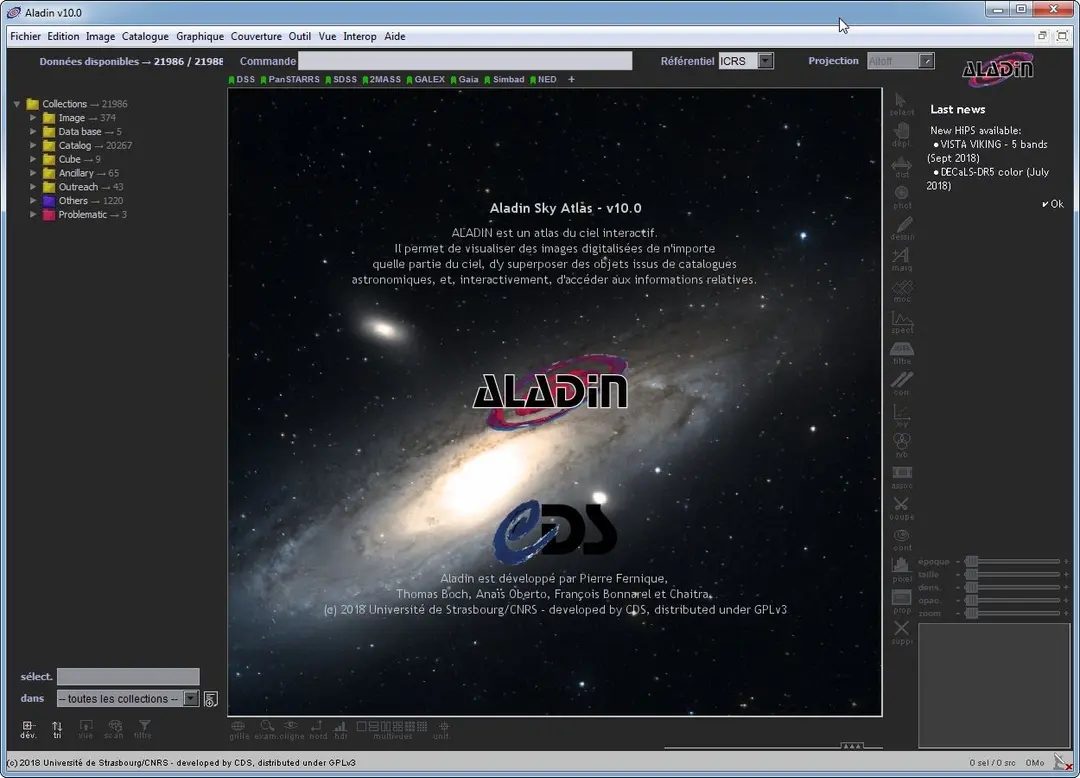
Aladin Sky Atlas will change the way you explore. Developed by Strasbourg’s Centre de Données astronomiques de Strasbourg (CDS), this open-source tool bridges the gap between amateur curiosity and professional research. It’s not just about showing off the stars. Place petabytes of research data on one interactive canvas.
Whether you are a student, hobbyist, or experienced astrophysicist, this software is highly adaptable. There are two different paths: the powerful Aladin Desktop for heavy workloads and Aladin Lite for immediate use over the Internet. This distinction is important because it defines the workflow.
Why Aladin’s Sky Atlas is important for modern astronomy
Traditional astronomy requires expensive equipment. Today you need a good browser and a clear understanding of the data layer.
The main method here is HiPS (Hierarchical Progressive Surveys). It’s more than just a fancy acronym. This allows applications to seamlessly transfer terabytes of pixel data. You can zoom into a specific set of galaxies from a widescreen image of the Milky Way without freezing or loading the interface. The first thing you’ll notice is the smoothness.
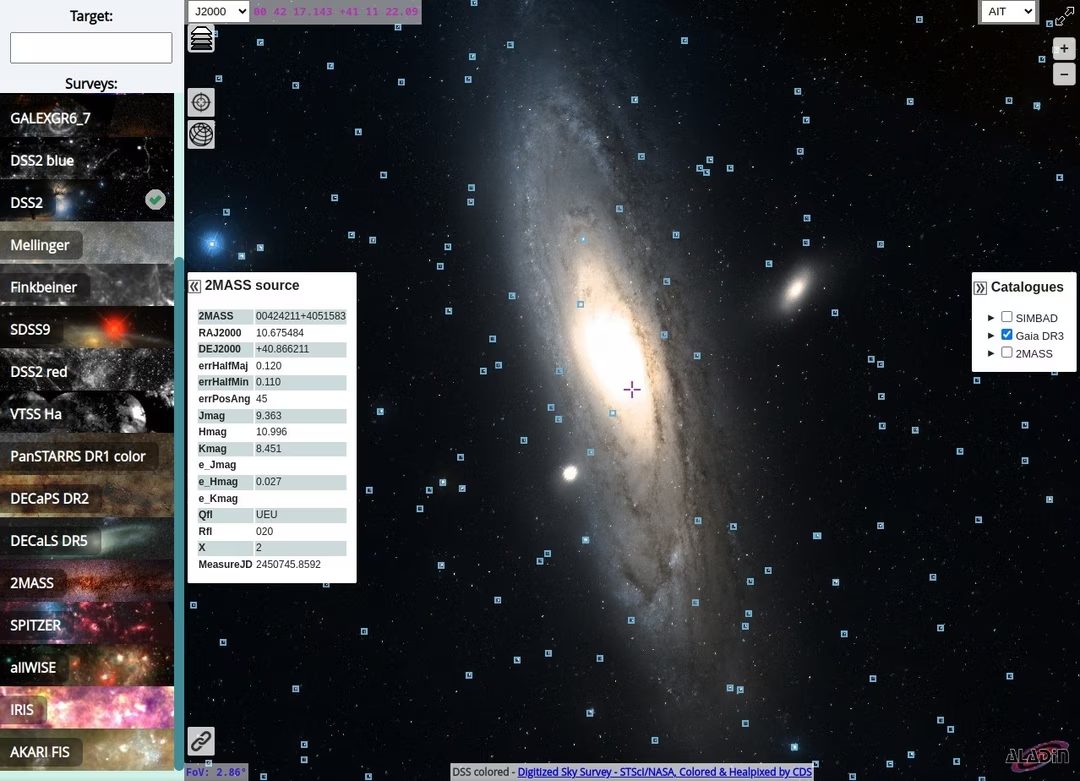
But the real power lies in data integration. Aladin connects directly to major directories such as SIMBAD, Gaia and 2MASS.
“Real-time cross-reference information multiplies the possibilities for every user.”
This means that when you click on a star, you will immediately see its spectral class, official name, and the coordinates of several exploration missions. This eliminates the tedious process of navigating between different database connections. The software handles intersections.
Who uses Aladin Sky Atlas?
The target audience is surprisingly wide.
- Amateur Astronomers : Use professional-grade images and catalog data that require specialized equipment or a paid subscription.
- For Students : Intuitive user interface makes it easy to learn sky coordinates and object typologies.
- Researchers : The ability to export data, create contours, and run scripts makes it a useful tool for serious analysis.
Open source is a key advantage of the latter. You can change the code. Can be adapted to specific conditions. If your research requires your own data pipeline, you can create one using the source code.
Installation and platform compatibility
Aladin is free. No paywall. There is no trial period. Download it directly from the CDS website.
The desktop version supports multiple operating systems. This includes Windows (XP to Windows 11), macOS and Linux. The installation process follows standard operating system procedures. Download and run the executable file or package. No complex settings are required for basic use.
Updates will be released regularly. They fix security holes and integrate new directory layers. You can force the update by downloading the latest version directly. This will replace the current installation without deleting locally stored data.
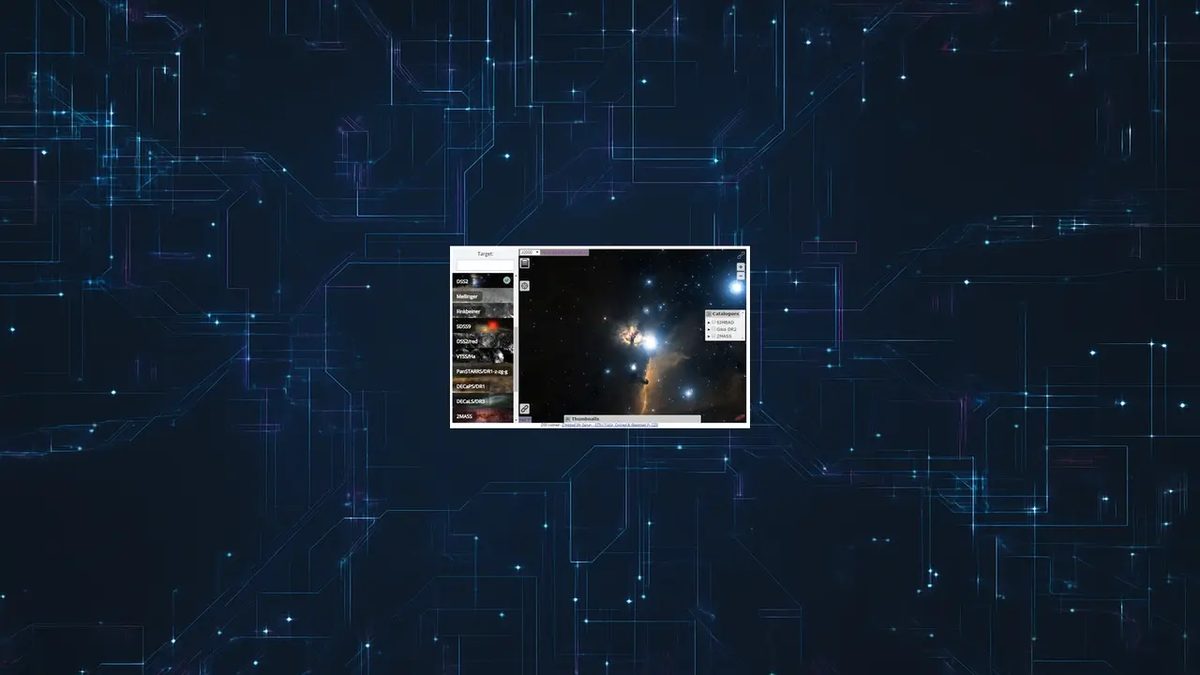
For those who cannot or do not want to install the software, there is Aladin Lite.
This web version works in Chrome, Firefox or Safari. No installation required. It’s lightweight and lacks some of the more advanced desktop tools, but it gives you access to maps and lists of major astronomical objects. Ideal for quick consultation or for users with limited equipment.
Key features that define your experience
The user interface is designed for quick implementation. You don’t need a manual to start exploring.
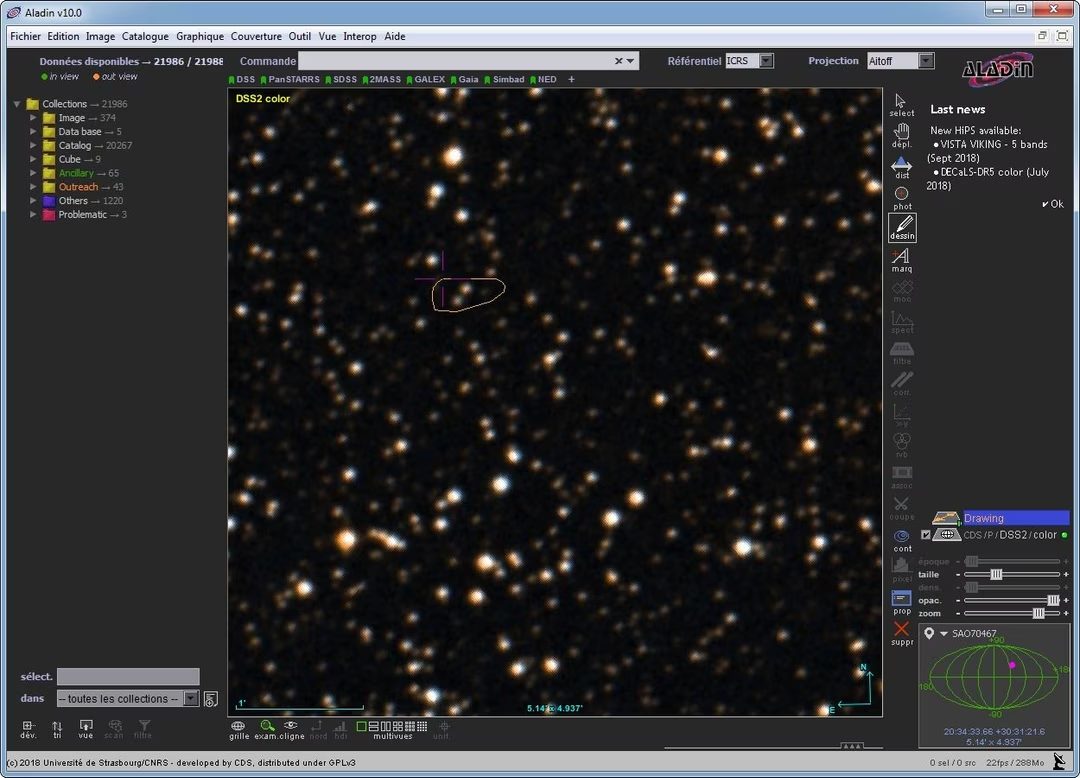
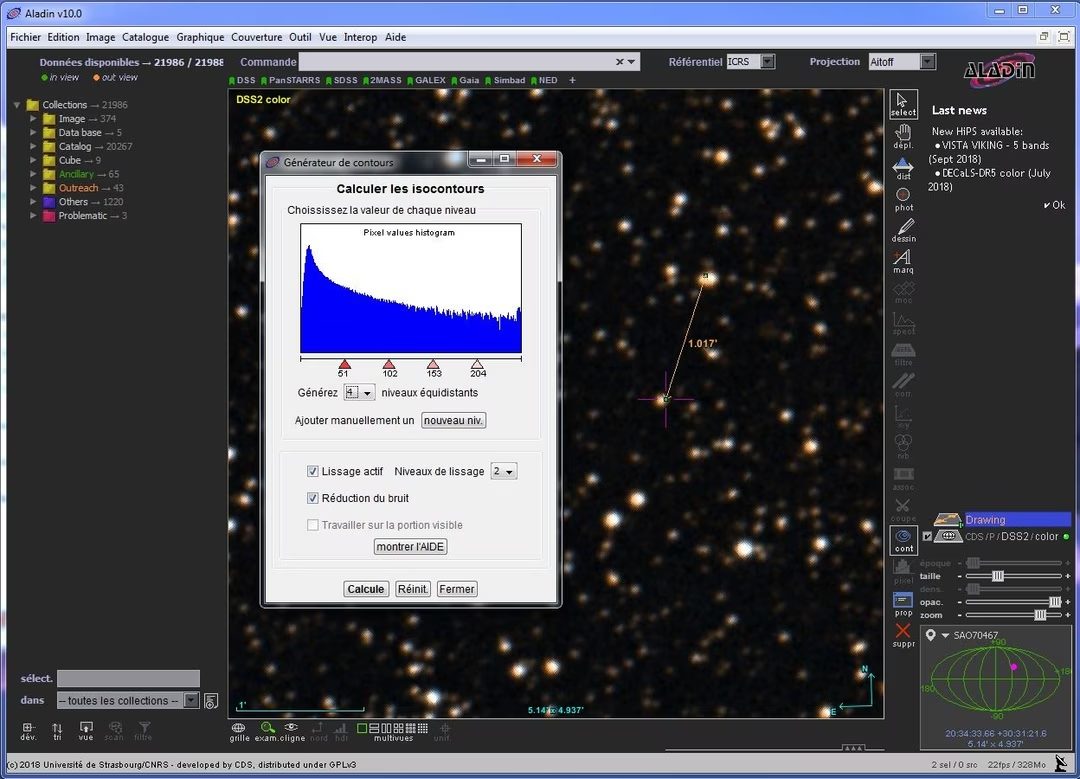
- Drawing Tool. You can draw areas of interest directly on the sky map. Note specific areas of study or presentation.
- Select a celestial body : Click on a celestial body to view detailed scientific information.
- Creating outlines. Visualize data intensity levels. This is useful for mapping emission sources in deep space exploration.
- Save Session : Save views and settings. You can share it with your partners or come back to it later.
The software’s ability to manipulate images and extract data for further analysis is excellent. Turn the sky into a dynamic dataset instead of a static image.
Manage versions and longevity
An often overlooked aspect of software evaluation is version control. Consistency is important in long-term studies.
Aladin provides access to an archive of older versions. This is not a mistake. This is a reproducibility function. If a particular study is based on a previous version of the list or a specific software feature, you can revert to that version. This ensures methodological consistency in longitudinal studies.
However, we recommend using the latest version unless you require compatibility. The latest version contains the latest catalogs and security fixes.
Conclusion
Aladin Sky Atlas democratizes access to astronomical information. When data is displayed directly on the screen, a separate monitoring station is not needed. Choosing between desktop and web versions depends on your needs for depth and convenience.
The technology behind it, especially HiPS, ensures that large amounts of data do not impact the user experience. It’s fast. It is accurate. And it’s free.
This is the starting point for anyone who wants to understand the structure of the Universe, invisible to the naked eye. The sky is no longer the limit. This is a data set.
How Aladin Sky Atlas works on different platforms and licenses
Compatibility is not to blame here. This is a feature. Aladin Sky Atlas can be installed on Windows XP, macOS or major Linux distributions. It just works.
Aladin Lite is suitable for people who cannot or do not want to install software locally. This is the web version. Works in your browser. Ideal for public computers or devices with strict installation rules.
Mobile support is not offered as a native app. There is no APK file for Android. There are no iOS apps in the store. However, Aladin Lite works on tablets and smartphones via a browser. It is not optimized for touch gestures like native apps, but is portable. Ideal for quick checks in the field or in the classroom.
“Aladin Sky Atlas is free for everyone. No premium levels or student discounts.”
The pricing model is binary and free. There is no paid version. There is no “Pro” license. This is not a freemium trap where basic features are locked behind a paywall. All functions are open to students, teachers and researchers. This is included in the concept of the project. Open source means open access.
It’s not just about money. It’s about transparency. The code is open. You can see how this works. You understand why you make certain decisions. This allows advanced users to participate. You can add modules. You can create scenarios based on your specific research needs. Designed for collaboration.
Why Aladin Matters for education and research
The uses are very different. At the same time, amateurs first discovered the night sky. Astronomers work with huge data sets. Aladin bridges that gap.
For teachers, this is basic classroom equipment. Learn how to map the sky. Shows how to navigate the star list. Supports research into recording astronomical phenomena. It’s visual. immediately.
Physics? Astronomy? Applied mathematics? This is a visual aid for everyone. The complexity of the activity allows for in-depth study of complex concepts. You see more than just a static image. It interacts with the data layer.
Lots of resources. Video tutorial. Practical guide. Special forum. The learning curve is manageable. You don’t need a PhD to start research.
Academic institutions offer structured training for advanced users. These are not random encounters. These are training courses designed to help you get the most out of your software.
Technical benefits for researchers
Researchers consider Aladin as a standard tool. This is not a toy. Import large amounts of data. It manipulates them.
Directory cross-referencing is fast. You can query multiple databases at the same time. The results are visualized immediately. This is very important for observational astronomy.
Markup tools are powerful. Precise hierarchy management. The export function is flexible. These qualities are very important when writing an essay. This is also important when preparing a presentation.
The key word here is modularity. Aladin is integrated into a larger toolchain. Used in international scientific projects. This is part of the process of analyzing deep space data.
The community is active. Users share scripts. Plugin. Get involved. Ecosystems grow when people use them and give them credit.
This dynamic, combined with the open door policy of the Strasbourg Astronomical Data Center, allows Aladin responsive. The update is under development. The capabilities are still evolving. I can help
Our FAQ will help. Multilingual documentation may be helpful. The barriers to entry are low, but the ceiling is high.
It is both an educational and scientific tool. It can be used by many people. Ability to solve complex problems.
There are reasons for this in many workflows. It fits perfectly.
The sky is wide. There is even more data. Aladin helps you navigate both cases.
Let’s start with a survey. It ends with discoveries. The middle section is where the software does the heavy lifting.
This works well. It’s free. It’s open.
This combination is hard to beat.
Technical characteristics of Aladin Sky Atlas
Let’s get down to it. I’m trying to use Aladin Sky Atlas. Whether you download the desktop version or run Aladin Lite in the browser, you need to make sure your computer is up to the task. This information is more than just technical terms; they determine whether you can work offline or whether you will have to wait until the catalog search becomes slow.
The editor here is CDS – Centre de Données astronomiques de Strasbourg. It is part of the French National Center for Scientific Research and the University of Strasbourg. Программное обеспечение является бесплатным и имеет открытый исходный код. This is important because it means there are no hidden paywalls behind the core tools. It is an astronomical atlas and data visualization tool. It’s quite simple.
What operating system and architecture do I need?
If you are using Windows it will work from XP to 11. Yes, that’s right. XP is outdated, but if you’re still using it, Aladin might be a good fit for you. Vista, 7, 8, 10, 11 – no problem. Fully supports macOS and Linux. For Web users, any modern browser will work. This architecture supports both 32-bit and 64-bit systems, so older laptops aren’t automatically left behind.
Desktop and Web: Java, HTML5 and WebGL
Here you have a choice.
Aladin Sky Atlas (Desktop)
This is a Java application. You need the JRE (Java Runtime Environment). If Java is not installed, nothing happens. It’s a robust, local powerhouse. You handle your own files.
Aladin Lite (Web)
These are HTML5 and WebGL. No installation required. Just load the page. It’s lightweight and quick to launch, but relies on the browser’s rendering engine. Great for quick testing. When working intensively with large data sets, the desktop version often has an advantage in memory management.
Data formats and interoperability standards
That’s why Aladin is more than just a pretty picture, it’s useful for real science. Supports:
- FIT : standard for astronomical images.
- HiPS/HEALPix : Handles large sky surveys without crashing the browser.
- VOTable (IVOA) : Structured data table.
- JPEG/PNG/TIFF : Standard image format for export or quick import.
But the real magic is in the standards. It talks SAMP (Simple Application Messaging Protocol). This means that Aladin can talk to other astronomy software. If you use another tool, Aladin can send data to that tool and vice versa. It also speaks VO (Virtual Observatory) services. This provides direct access to the SIMBAD and VizieR databases. This is the Holy Grail of heavenly cross-referencing.
Offline functionality and Internet requirements
Can you work without Wi-Fi? Yes.
For offline use, you can load local files (FITS, VOTables) and downloaded datasets. This is important for researchers in remote areas or those who prioritize data privacy. Local files stay local.
For online features requires an Internet connection. Catalog searches, remote survey overlays, and SIMBAD searches all require a connection. If you just want to view a saved FITS file, the network is not relevant.
Language and target audience
The Hidden Costs of Digital Trust
We talk a lot about comfort. Log in with one click, remember passwords across multiple devices, and watch movies without buffering. But this ease comes at a price. It is paid in privacy. And lately, the bill is coming due.
The infrastructure underlying these services is based on trust. You trust your bank. You trust your cloud provider. You’re confident that the app on your phone won’t sell your location data to the highest bidder. But trust is fragile. All it takes is one bug, one API error, and one lazy developer to the whole house of cards collapses.
These aren’t just hackers in hoodies. We are talking about structural decay.
Why can’t everything happen in one click?
Consider the “Sign in with Google” or “Sign in with Apple” button. they are everywhere. Reduces friction. Friction negatively impacts conversion rates. But friction also acts as a brake. It makes you stop. It makes you think: Is this service worthy of my credentials?
When you remove that pause, you remove the check.
Security experts believe this centralized identity model creates a single point of failure. If the primary identity provider is compromised, all associated services are at risk. It’s not just about lost emails. This means you won’t be able to access your banking transactions, health information, or social circles.
“Convenience is the enemy of safety. The easier it is to get, the easier it is to steal.”
This is why multi-factor authentication (MFA) is no longer an option. It’s the bare minimum. However, so many users skip it. Why? Because there are more steps. It adds friction. In the battle for user engagement, friction is often seen as a bug to be fixed rather than a feature to be embraced.
The Rise of Decentralized Identity
So, where does this leave us? The current model is broken. At least it’s outdated.
Enter decentralized identity. Sounds like a technical term. It’s like a soup of buzzwords. But the basic idea is simple. You own the data. This is not a big tech company. Not the government. You.
Instead of transmitting your credentials to a central server, you store them in a digital wallet. You share only what is necessary. Do I need proof that I am 21 years of age or older? Please do not send a photo of your driver’s license. Send an encrypted confirmation: “Yes, this person is over 21 years old.” The server gets no other data. No date of birth. No address. No name.
It’s more complex to set up. Not very convenient in the short term. But it changes the power dynamic.
This is not science fiction. This is happening now. Blockchain-based IDs. Self-sovereign identity protocols. They’re clunky. They’re early stage. But they point in the right direction.
How this affects browsers
You don’t need any cryptographic knowledge to figure this out. All you need to know is that your current browsing habits are being collected.
Cookie dies. Not because it is bad, but because it is regulated and ceases to exist. GDPR. CCPA. The right to be forgotten. These laws require companies to change the way they track you. But they’re not stopping the tracking. It just becomes more opaque.
The alternative is a web that