VSDC Free Video Editor has quietly carved out a serious niche. It isn’t just another freebie cluttered with watermarks or hidden paywalls. It’s a robust, nonlinear editing system that handles everything from quick TikTok cuts to complex post-production workflows. The real trick? It works. For beginners, the interface is forgiving. For pros, it offers the deep-dive controls they actually need.
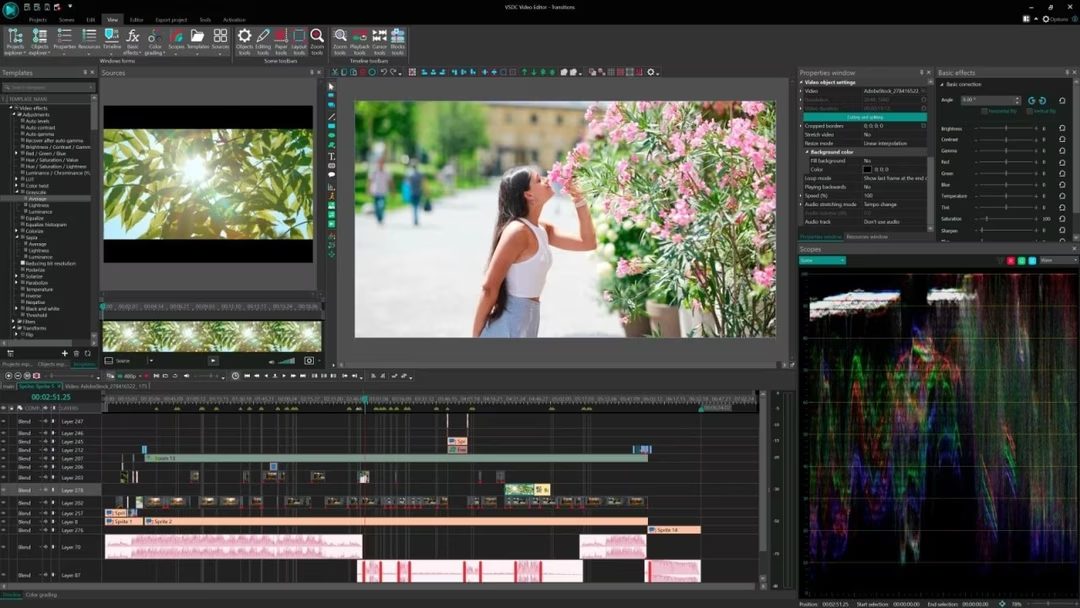
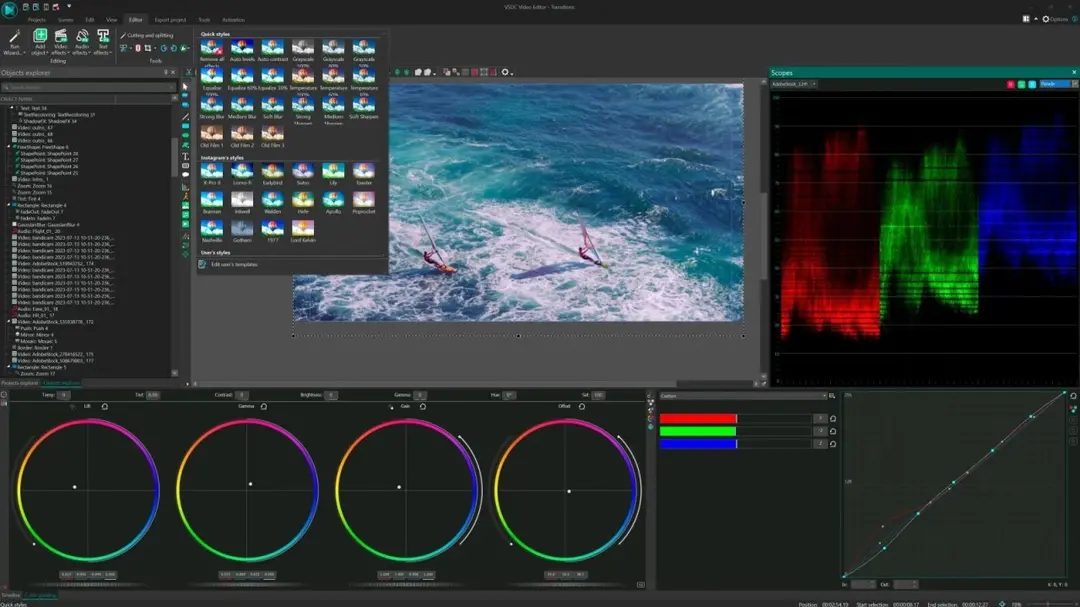
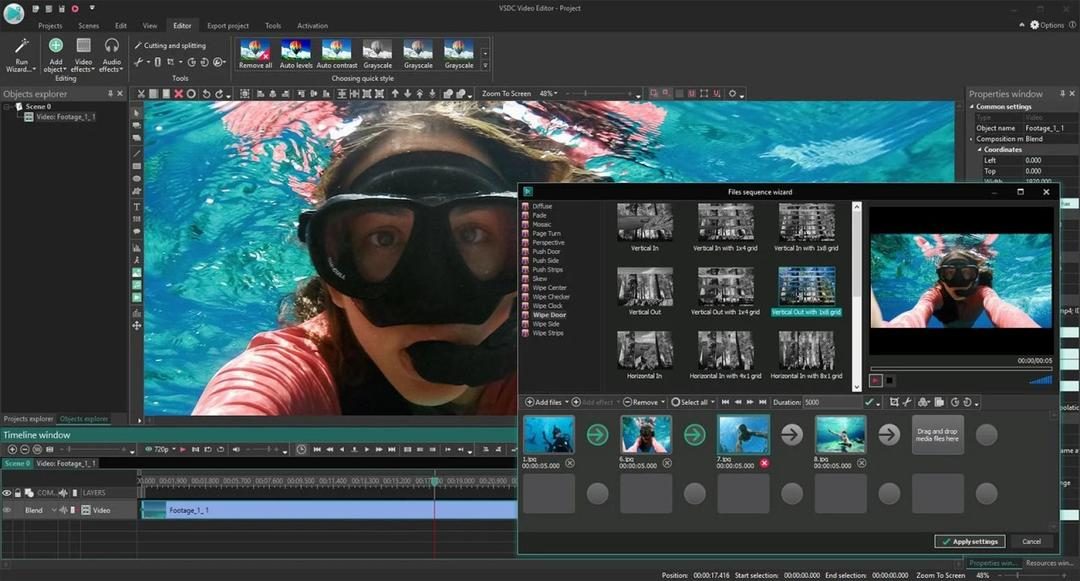
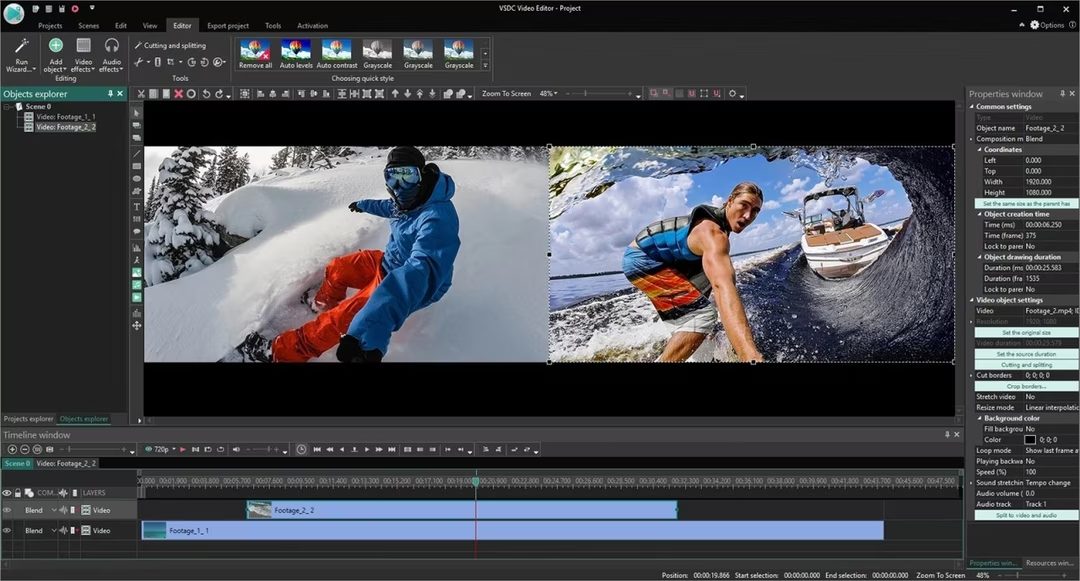
Let’s be clear about what this software does. It allows you to layer video and audio tracks freely on a timeline. You aren’t locked into a linear path. This means you can place effects anywhere, adjust timing precisely, and mix multiple sources without hassle. It supports most common audio and video formats out of the box. You get professional transitions. You get color correction. You get chroma key (green screen). All of it, completely free. No branding stamped on your final export.
Why VSDC Stands Out in a Crowded Market
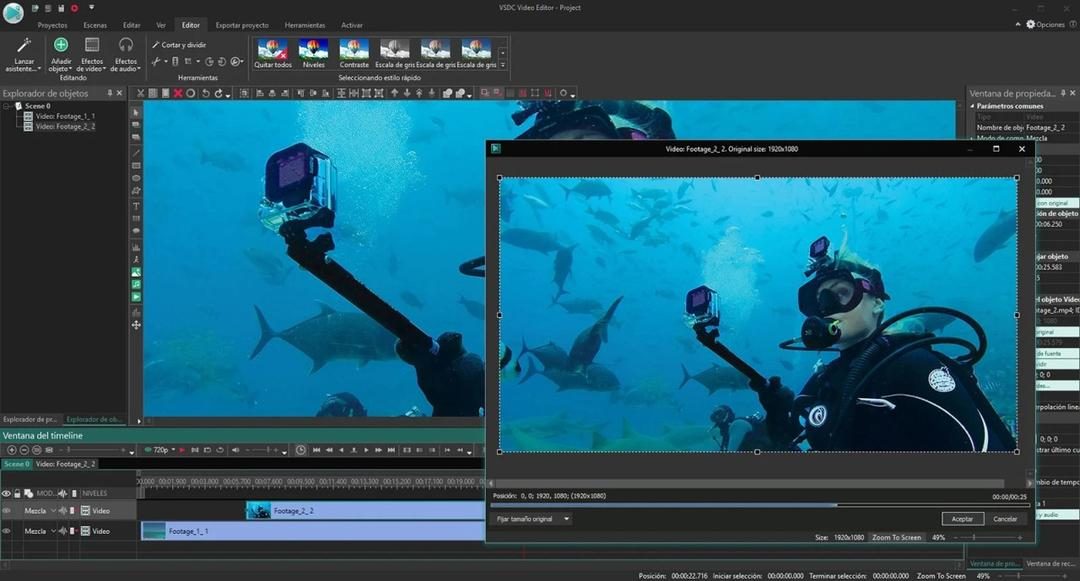
The distinction isn’t just about features. It’s about philosophy. Many free editors strip away tools to force an upgrade. VSDC keeps the powerful stuff in the free tier. You get advanced masks. You get automatic stabilization for shaky footage. You get speed ramping for slow-mo or fast-forward effects. You even have access to keyframe animations for custom motion graphics.
This isn’t basic trimming software. It’s a full suite. You can optimize exports specifically for YouTube, Instagram, or Facebook. The filters are artistic but usable. The audio management is sophisticated enough for podcasts or voiceovers. It bridges the gap between mobile apps and heavy desktop suites like Premiere Pro.
The Windows Catch: No Mac or Linux Support
Here is the hard limit. VSDC is strictly a Windows application.
It runs on both 32-bit and 64-bit versions of Windows, starting from Windows 7 all the way to Windows 11. It leverages modern hardware well. If you have a decent CPU and GPU, even 4K rendering stays fluid.
But if you are on macOS, Linux, Android, or iOS, look elsewhere. There is no native desktop version for Apple users. (Note: There is a separate mobile app called “VSDC Video Editor” for iOS and Android, but it is stripped-down. It’s for quick mobile edits, not serious work.)
For Mac users, your options are iMovie (too basic) or DaVinci Resolve (steep learning curve, but powerful). Linux users are similarly out of luck for this specific tool. This limitation defines the entire user base. It is for Windows PC owners.
Safe Installation: No Adware, No Account Required
The download process is surprisingly clean. You grab the installer from official sources or trusted mirrors like Futura. The file is small. It downloads fast even on slow connections.
Crucially, the installer does not bundle third-party software. No adware. No unwanted toolbars. Just the editor.
You don’t need an email address. You don’t need to create an account. You just install it and start working. This respects your privacy. It respects your time.
Upgrading and Managing Versions
Updates are handled inside the app. Go to Help > Update. It checks for new versions, downloads them, and installs. Your projects and settings usually survive the transition intact. This is rare in free software where updates often break compatibility.
What if you need an older version? Maybe your old PC can’t run the latest build. Or you just prefer the old interface. You can find archives on sites like Futura. But be careful. Older versions lack security patches. They might miss support for new video codecs.
Generally, stick to the latest release. The dev team pushes updates frequently. They add new effects. They fix bugs. They improve performance. Stability matters when you’re rendering a final cut.
Minimum Specs: What Do You Need?
You don’t need a supercomputer, but you can’t run this on a netbook from 2010.
Here is the baseline:
- OS: Windows 7, 8, 10, or 11 (32 or 64-bit)
- Processor: Dual-core CPU (Intel or AMD)
- RAM: 2 GB minimum (4 GB recommended for HD)
- Storage: Enough space for your OS, the app, and your video files
If you’re working with 4K video or complex multi-layer projects, bump up that RAM and get a faster processor. The software is efficient, but video encoding is heavy lifting.
Is It Worth Switching?
If you are on Windows, yes. The feature set rivals paid tools. The lack of a watermark is a huge relief. The ability to customize every aspect of the timeline without paying extra is the real value proposition.
It’s not perfect. The interface can feel cluttered at first. It requires learning. But once you click past that initial friction, the power is there.
You just have to be on Windows. That’s the only barrier.
La proposition de valeur de VSDC Free Video Editor ne réside pas dans des restrictions artificielles, mais dans l’absence de celles-ci. La plupart des éditeurs vidéo gratuits imposent un péage tacite : filigrane, limitation de résolution, ou durée de projet tronquée. VSDC ignore cette pratique. Vous pouvez exporter en haute définition, sans logo superposé, et sans compter les secondes de vidéo. C’est un choix stratégique pour les créateurs indépendants, les étudiants, ou tout simplement ceux qui veulent un outil qui ne les bloque pas à mi-parcours.
Why choose the free version over Pro?
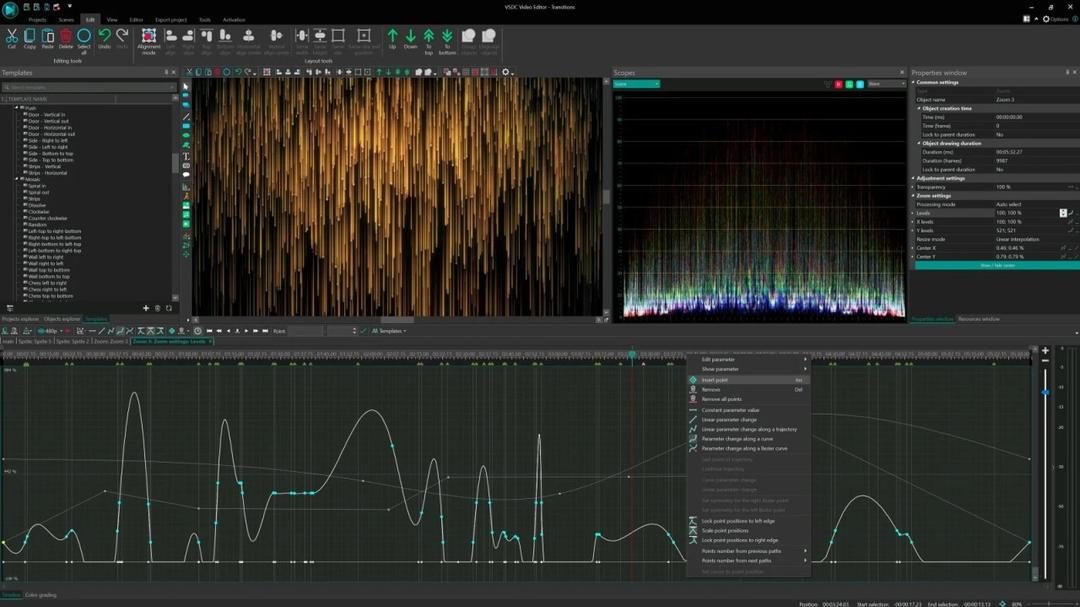
The free tier isn’t a “demo.” It’s a fully functional suite. You get non-linear editing, multi-track timelines, chroma key effects, and color correction. If you’re making vlogs, music videos, or short films, the core toolkit is identical to what professionals use to build their projects. The interface guides you through import, edit, effect application, and export. It’s segmented, logical, and forgiving. You can jump back at any stage.
However, the Pro version exists for those who need speed and advanced tracking.
Who actually needs the paid upgrade?
– Semi-professionals handling large volumes of footage.
– Users requiring hardware acceleration for faster rendering times.
– Those needing motion tracking tools for dynamic text or graphics.
– Editors managing multiple projects simultaneously.
– People demanding enhanced stabilization for shaky handheld footage.
For most casual creators, the free version is sufficient. The Pro add-on is optional, not mandatory. There are no hidden subscription fees creeping into the free experience. It’s a one-time purchase model, typically offered as an annual license or a perpetual key. Students and educational institutions may also qualify for discounts, depending on current promotional policies.
Accessing the software and community support
Download accessibility is straightforward. The software is available directly from the official site or through trusted tech portals like Futura. The installation process is standard for Windows-based tools. But the real value lies in the learning curve.
VSDC doesn’t offer official certifications, but it compensates with robust community resources.
– Video tutorials cover everything from basic cuts to complex effects.
– Guides and documentation are freely available online.
– Active forums (both French and English-speaking) allow users to troubleshoot issues or share templates.
This ecosystem is self-sustaining. User feedback directly influences software updates. New features often originate from community suggestions. This creates a feedback loop where the tool evolves based on real-world usage rather than corporate roadmaps.
Export options and platform optimization
When you’re ready to publish, VSDC provides preset export profiles tailored for major platforms.
- YouTube, Facebook, Instagram: Optimized compression settings ensure fast uploads without sacrificing too much quality.
- Archival or large-screen projection: High-definition, lossless exports are available for those who prioritize fidelity over file size.
The flexibility extends to resolution and aspect ratio adjustments. You’re not locked into a single output format. This adaptability makes VSDC suitable for diverse use cases, from family memory compilation to scientific documentation or commercial promo clips.
Is it the best tool for everyone? No. It requires a bit more effort to learn than drag-and-drop mobile apps. But for Windows users seeking a powerful, free, and transparent editing environment, it remains a standout option. The absence of intrusive marketing or forced upsells in the free tier speaks volumes. It respects the user’s workflow.
As the software continues to integrate community-driven features, its position in the free editing market strengthens. Whether you’re starting out or scaling up, the core functionality remains robust. The Pro version simply adds speed and precision for those who need it. For everyone else, the free edition delivers exactly what’s promised: no strings attached, no watermarks, just editing.
Let’s skip the fluff. Before you waste time downloading an editor that will crash on your old laptop, you need to know if your machine can actually handle it. VSDC is a non-linear editor (NLE) built for Windows. It’s not trying to be DaVinci Resolve or Final Cut. It’s simpler. Lighter. Designed to run on the hardware you already have.
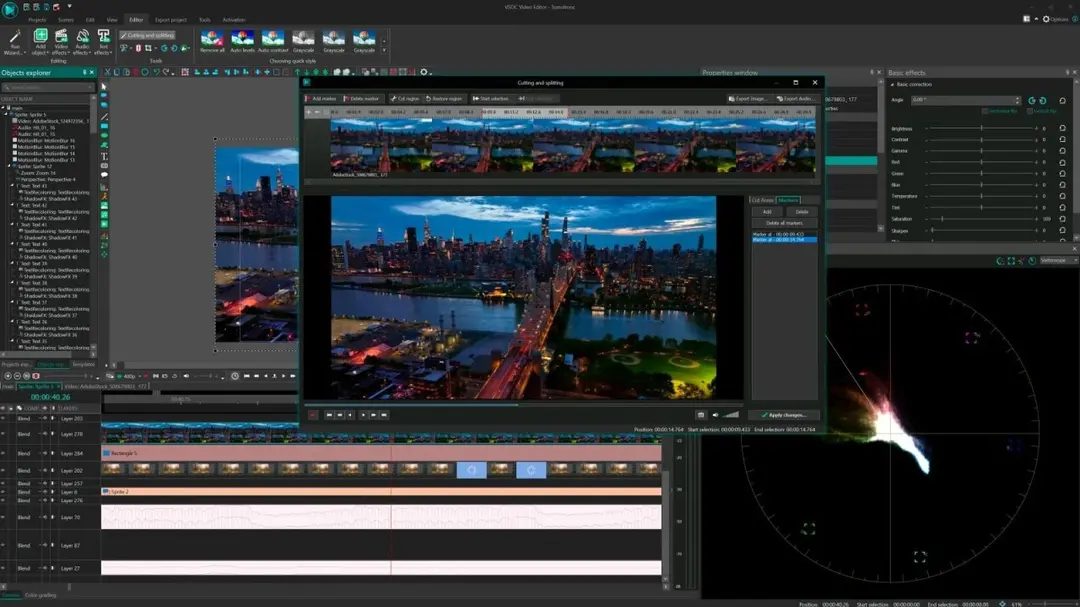
The good news? It runs on both 32-bit and 64-bit Windows systems. That legacy support matters. If you’re still rocking Windows 7 or 8, VSDC Free Video Editor won’t leave you behind. You get multitrack editing, chroma key, stabilization, and keyframe animation right out of the box. The pro version just adds bells and whistles. The core engine stays the same.
VSDC’s standalone installer means no third-party bloat. You install it. You use it offline. Done.
Here is the technical breakdown. Keep this open while you check your system specs.
Core Software Details
- Name: VSDC Free Video Editor
- Developer: Videosoftdev
- License Model: Freemium. The base editor is free. Pro is an optional upgrade for performance boosts and specialized tools.
- Category: Video Editing > Non-Linear Editor (NLE)
- Platform: Desktop-focused. Windows only.
- Mobile Companion: iOS app exists, but it’s disjointed. Don’t expect parity. The real work happens on PC.
Operating System and Compatibility
This is where most people get stuck. VSDC is Windows-only. If you’re on Mac or Linux, you’re out of luck unless you virtualize.
- Supported OS: Windows 7, 8, 10, 11.
- Architecture: 32-bit and 64-bit support.
- Offline Use: Fully functional without an internet connection. You only need Wi-Fi for updates or sharing exports. No mandatory account creation. No login walls.
Hardware Requirements: What Do You Actually Need?
The site lists “modern PC” as recommended. That’s vague. Let’s translate that into reality.
You don’t need a $3,000 rig. But you do need more than a netbook from 2012.
- CPU: Multi-core processors help. VSDC relies on hardware acceleration when available. If your GPU drivers are up to date, the software will push rendering tasks to the graphics card. If not, the CPU takes the hit.
- RAM: You need enough to hold your project in memory. For HD 1080p editing, 8GB is the bare minimum for comfort. 4GB will work, but expect stuttering when previewing effects.
- GPU: Integrated graphics can work. Dedicated cards are better. Check for compatible drivers. The software supports hardware acceleration, but it’s not guaranteed on every chip.
- Storage: SSDs make a difference. Loading large video files from a mechanical HDD will bottleneck your workflow.
Input and Output Formats
VSDC is codec-agnostic in theory, but in practice, it depends on what your Windows installation supports.
Video:
MP4, AVI, MOV, MKV. These are the standards. If Windows can’t decode it natively or via installed codecs, VSDC might struggle. This is a common pain point for users who try to import obscure raw formats. Stick to H.264 or H.265 for safety.
Audio:
MP3, WAV, AAC. Standard fare. No surprises here.
Images:
PNG, JPG, BMP, GIF. You can use these as overlays or backgrounds. The timeline handles them like video clips.
Export Options and Performance
This is the “why it matters” part for everyday users.
The free version lets you export to local files. You also get preset profiles optimized for online platforms. YouTube, Vimeo, Facebook—they’re pre-configured. You don’t need to guess bitrate or resolution settings.
The Pro version
The Cost of Convenience
You think you’re paying for the software. You’re not. You’re paying for the privilege of letting someone else hold your keys.
The transition to SaaS (Software as a Service) wasn’t just a billing change. It was a fundamental shift in who controls your data. And control is a heavy word. It implies power. It implies the ability to say no.
When you subscribe, you don’t own the tool. You rent the access. The vendor owns the code. They own the infrastructure. They own the relationship with your users.
This matters because it changes how you build your business.
Why SaaS Lock-In Is Real
Let’s talk about SaaS vendor lock-in. It’s not marketing jargon. It’s the quiet trap that catches growing companies.
Why does it happen? Because integration is easy. Onboarding is smoother than setting up a server rack in a closet. You plug in. You start using features. Your team gets efficient.
Then you need to leave.
Or change.
Suddenly, you realize your data is locked in proprietary formats. Your workflows are tied to their specific API. Your training budget is sunk into their interface. Leaving feels like tearing out your own teeth.
Which is why most people stay. Even when the price goes up. Even when the feature set stagnates.
The Hidden Risks of Third-Party Reliance
There’s a risk in letting an external party manage your core operations.
If their server goes down, your business stops. If they change their terms of service, you’re bound by them. If they get acquired by a competitor who doesn’t share your values, you’re stuck with the baggage.
This isn’t hypothetical. It’s daily reality for thousands of startups relying on a single cloud provider for their entire stack.
Consider the data privacy angle. Where does your customer data live? In a region with strong privacy laws? Or in a jurisdiction with weak oversight? The SaaS provider decides. You trust them. That trust is your only security.
How to Mitigate Vendor Dependency
You can’t avoid SaaS entirely. Modern IT demands it. But you can reduce the bite.
- Demand exportable data. Make it part of the contract. Ensure you can get your data out in a standard format, not a proprietary one.
- Build abstraction layers. Don’t tie your internal processes directly to the vendor’s UI. Use middleware or APIs to keep your logic decoupled.
- Negotiate SLAs carefully. Uptime guarantees matter. But so do data breach response times.
- Keep an exit strategy. Always have a backup plan. Even if you never use it.
The goal isn’t independence. It’s leverage.
The Future is Hybrid
We’re seeing a move toward hybrid models. Companies keep critical IP on-premise or in private clouds. They use SaaS for everything else.
It’s messy. It’s harder to manage. But it’s safer.
The question isn’t whether to use SaaS. It’s how much of your soul you’re willing to rent out.
Most don’t think about it until it’s too late.