You’ve been there. You spot a cafe, maybe a bookstore, and you assume the free internet is waiting for you. You pull out your laptop, hit power, and wait. The spinner turns. The connection bar stays empty. Now you’re sitting in a public chair, fumbling through cables, feeling a little dumb.
This is the reality of modern digital life. “Hotspot” isn’t just a buzzword anymore. It’s a survival mechanism for anyone who relies on the web. While cafes proudly display “Free WiFi” signs to lure in customers, other locations are much more secretive. Colleges, corporate buildings, and transit hubs often have robust wireless networks, but they don’t advertise them. They assume you’ll know.
The hunt has changed. It used to be simple: coffee shop, table, signal. Now it’s a scavenger hunt. You might walk into a library, a museum, or an airport lounge, only to find your device can’t see a single router. You burn through your laptop battery looking for a signal that might not exist. It’s frustrating, expensive in terms of time, and honestly, kind of pointless.
That’s where the WiFi detector comes in. These are small, handheld gadgets designed to do one specific thing: scan the air for wireless signals before you waste your battery. They let you know if a network is actually there, hidden or open, so you can set up camp with confidence.
Why standard laptops fail at finding hidden networks
Your laptop is powerful, but it’s not built for detection. It’s built for consumption. When you open your device, it scans for visible networks. If a hotspot is hidden, password-protected, or operating on a frequency your laptop isn’t tuned to detect easily, you won’t see it.
This is why the “wandering wireless syndrome” exists. You’re relying on a tool that tells you what it can connect to, not what is actually broadcasting. A dedicated WiFi detector works differently. It listens to the spectrum. It picks up signals your laptop ignores.
The problem isn’t that you don’t have internet access. It’s that you don’t know where the access point is hiding.
How these travel gadgets actually work
Under the hood, a WiFi detector is essentially a specialized radio receiver. It doesn’t try to log you in. It just detects the presence of a signal. Think of it like a metal detector, but for wireless frequencies.
Most of these devices operate on the 2.4 GHz and 5 GHz bands, which are the standard frequencies for most public WiFi networks. When you turn one on, it scans the surrounding area. If it finds a signal, it alerts you, usually with a beep or a light. Some advanced models can even show you the strength of the signal or the number of available networks.
This matters because it saves you the trip. You can stand at the entrance of a building, scan, and decide: “Yes, there’s a signal inside,” or “Nope, move on.” It turns a frustrating guess into a data-driven decision.
How far does a WiFi signal actually reach?
Let’s be blunt. You are not getting coverage from that router three blocks away. In an open field with zero obstructions, a typical wireless signal maxes out around 1,000 feet (304.8 meters). Step inside a house, throw up some drywall, add a few metal appliances, and that range drops to roughly 300 feet (91.44 meters).
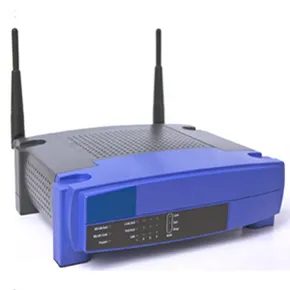
Signals are invisible. Your access points (routers) are usually tucked away in closets or behind TVs. This is why a WiFi detector exists. It is a simple gadget that tells you if you are standing in a zone with a usable signal. No more guessing. No more “let me just move my laptop one inch to the left.”
What frequencies does wireless Internet use?
You might think WiFi works just like radio waves. It does, sort of. But not really. Wireless Internet travels on frequencies significantly higher than cell phones or FM radio.
Most home and public networks operate on two main bands:
– 2.4 GHz
– 5 GHz
The Institute of Electrical and Electronics Engineers (IEEE) standardized this process under the 802.11 family of networking standards. These standards dictate exactly how data rides those waves. You will see letter designations like 802.11b and 802.11g. Both of these older standards rely on the 2.4-GHz band.
Within that 2.4-GHz band, the spectrum is sliced into channels. In the United States, you have 11 available channels on that band. Other countries vary; some have fewer, others go up to 14.
How does a WiFi detector actually work?
The core component is the antenna. It is not a universal pickup. Just like your car radio antenna is tuned to AM/FM frequencies and ignores police bands, a WiFi detector antenna is tuned specifically to the bands that carry wireless Internet.
If you look at the specs on most consumer detectors, you will often see them listed as compatible with 802.11b and 802.11g networks. The antenna filters out noise and locks onto the specific frequency range meant for data transmission.
But an antenna alone is useless. You need feedback.
Modern detectors include a user interface. This could be a simple LED light that turns on when a signal is present. Better models gauge signal strength. Even better ones have onboard processors that demodulate the data. This means the device actually processes the signal to give you concrete information before you decide to sit down with your laptop. You are not just detecting a presence; you are checking if the connection is strong enough to work.
Why is it called WiFi?
It is a common misconception that “WiFi” stands for “Wireless Fidelity.” It does not. The term is a marketing play on “hi-fi” (high fidelity), an audio term describing recordings that accurately reproduce the original sound. The Wi-Fi Alliance, which certifies compatibility, chose the name to make the technology sound approachable and high-quality. It does not have a literal technical definition.
Reading the interface: LEDs, LCDs, and SSIDs
Beyond the basic binary output, the hardware varies wildly. Simple units rely on LEDs. One light means weak. Three lights means decent. Five means strong. It is a scale. Simple enough.
Higher-end tools swap the lights for an LCD screen. This changes the game. You get a number representing signal strength, but you also get text. That text is the SSID (Service Set Identifier). In plain terms, it is the name of the network.
Why does that matter? Because you need to know whose network is bleeding into your space. Is that signal coming from your own router? Or is it your neighbor’s streaming setup? The SSID tells you immediately.
Taming the 2.4-GHz noise
Interference is the enemy of speed. In the 2.4-GHz band, multiple networks living close together fight for the same airwaves. The United States allocates 11 channels to this band. If everyone picks the default channel, chaos ensues.
A WiFi detector helps you fix this. It lists the operating channel of nearby networks. Suppose your detector reveals that the network next door is running on channel 6. You do not want to be on channel 6. You want to be far away. Tune your router to channel 1 or 11. Distance in frequency space reduces the crosstalk. Your throughput might actually improve.
Battery life and USB charging
These gadgets run on power. Usually AAA batteries. They do not like to sit idle, draining juice when you forget them on a desk. Most units include a low-battery indicator. Some let you adjust sensitivity to save power. Others feature a USB port. You can plug them into your computer to charge. It is a small convenience, but it keeps the device ready when you are traveling.
The security check: encrypted vs. open
Some detectors show a status for encryption. This tells you if the network is secured. If it is encrypted, you need a password to connect. If it is not, anyone can hop on.
This feature has a dark side. People travel around scanning for unencrypted hotspots. If you leave your network open, freeloaders can use it. Worse, they can download illegal content, like pirated music. Law enforcement traces the IP address. That address leads to your router. You end up in a legal mess, even if you did not download anything.
Keep your network encrypted. Use a strong password. Do not leave the door open just because it is “easier.”
Portable hardware and the WiFi shirt
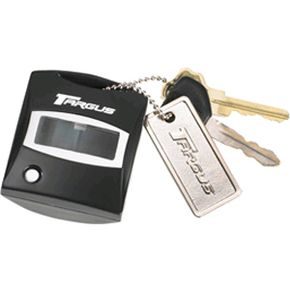
For travelers, a portable detector is useful. Some come as small keychain versions. You clip one to your bag. It is always with you.
Then there is the novelty factor. Remember the T-shirt? It had lights that depicted the strength of nearby 802.11b and 802.11g networks. Fashion met functionality. You wore the data. It was silly, but it worked. It showed just how embedded this “hunting” technology became in everyday culture.