We used to be at the mercy of talent. If you wanted a melody, you needed a friend who could strum a guitar or sing off-key in the shower. It was a low-fi, personal experience. Then came the radio. Suddenly, you didn’t need a musician in your living room. You just needed a transistor radio in the car. But let’s be real: you were stuck with whatever DJ thought you needed to hear at 3 PM. No skipping. No pausing. Just passive consumption of a pre-determined playlist.
Then magnetic storage stepped in. Cassettes. You could own your music. But those tapes degraded. Every time you played them, the sound got a bit grainier, a bit more tired. Optical storage came along to fix that decay. CDs were crisp. They were durable. But they had limits. You couldn’t fit an entire lifetime of songs on one disc. And if you tried to listen to music on the go, you risked the dreaded skip. The laser would stutter. The track would jump. It was jarring.
Hard drives changed the game with MP3 players. Digital libraries meant hundreds of hours of songs in your pocket. The battery often died before you did. But moving files between devices was a headache. Syncing was a chore. And storage was still finite. You hit a wall.
Now we have cloud music services.
These platforms promise unlimited access. They connect computer servers to the internet so you can pull your library onto any device. Computer. Smartphone. TV. Game console. The logic is simple: your music lives on a remote server, not on your hardware. You stream it. You don’t store it.
But how does this actually work under the hood? And where do these services break down?
The Infrastructure Behind Instant Access
The magic isn’t in your phone. It’s in massive data centers. When you hit “play” on a streaming app, you aren’t pulling a file from your own device. You are requesting a stream of data from a server farm. This infrastructure allows for cross-platform continuity. You can start a song on your desktop, drive home, and pick it up on your phone without skipping a beat.
“These are cloud services — they utilize computer servers connected to the Internet to let you access information.”
This shift removes the physical limitations of the past. You no longer need to carry a wallet full of CDs or worry about a scratched disc rendering a album unplayable. The limitation is no longer space. It is bandwidth. And connectivity.
Why It Matters to Your Daily Life
For the average user, this means convenience. You don’t have to manage your library. You don’t have to back up your MP3s. The service provider handles the storage. But there is a trade-off. You are renting access, not owning the file. If the service shuts down, or if your internet connection drops, your music disappears.
The transition from physical media to digital files, and then to cloud streams, wasn’t just about storage capacity. It was about friction. We removed the friction of carrying physical objects. We removed the friction of syncing. But we introduced a new dependency: the internet.
So, when the signal fades, what happens to your library? And who really controls the music you love?
The landscape of music on the internet isn’t one-size-fits-all. If you are looking for music cloud services, you will quickly find there are two distinct camps. One feels like a DJ who knows your taste. The other feels like a digital warehouse where you manage the inventory.
The first camp operates like a radio station. You build a profile. The service streams music based on your preferences. If your internet connection is spotty, you might lose the signal. But the trade-off is discovery. Services like Pandora Radio let you create stations from a specific artist. You don’t get that artist every time. Instead, you get music the algorithm thinks fits your profile. You thumbs-up, thumbs-down, and the playlist adjusts.
“You aren’t guaranteed to hear that artist or song every time you use the service. Instead, you’ll hear music that Pandora Radio matches against your preferences.”
This model relies heavily on algorithms matching licensed tracks from studios. You discover new tunes. You stay within the box of what the service has rights to play.
Then there is the hybrid approach. Spotify sits here. It is still a radio station in its engine, but you have a steering wheel. You can search for specific songs. You build playlists. You control the order. You add or delete tracks. You might not find obscure B-sides if the studio hasn’t licensed them to Spotify, but you have control. It is less about serendipity and more about curation.
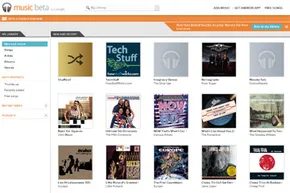
The second major type of service is different. It gives you freedom. It also gives you work. These services store your music remotely. You upload your own files. If your library is large and your upload speed is slow, this can take hours. The service acts as an external hard drive in the sky. You access it through apps like Amazon Cloud Player or Google Music. These apps work on computers and smartphones.
Apple and Amazon add a twist to this upload model. You can buy music directly from their stores. The track appears in your cloud library automatically. No uploading required. They also sweeten the deal. Buy through their store, and they often give you extra storage space or unlimited storage for music purchased there.
Limits still exist for personal uploads. Google Music allows 20,000 songs in your personal cloud. Amazon Cloud Drive gives you 5 gigabytes for free. That is roughly 1,000 songs. You can pay for more. Amazon states that 20 gigabytes of storage allows unlimited song storage. Apple’s iCloud ignores purchases from the iTunes Store when counting against your 5 gigabyte free limit. So if you only buy music, you never hit the wall. Amazon also excludes MP3 uploads from the storage cap in some contexts.
Most of these services provide apps or websites to stream music. Some allow you to download the actual file to an MP3 player. This is useful for areas with poor connectivity.
Every service has a front end and a back end. The front end is what you see. It is the Java-based app that interprets your commands. Or it is a JavaScript interface. JavaScript is necessary because HTML alone cannot handle the rich, interactive experience users expect. It could be a desktop program like iTunes. It is the screen you stare at.
Behind that screen is the back end. This is where the cloud lives. Hundreds of servers do the heavy lifting. Some servers execute commands. They match your request to the correct file. Other servers handle storage. Some services allocate specific space for each user.
Google Music, for example, stores your files across multiple machines. This provides redundancy. If one server fails, your data remains safe on another. A master server tracks everything. It acts as the traffic director.
So how do you choose? Do you want discovery or control? Do you want to upload or rent? The technology behind it is complex, but the choice is simple.
Picking Your Cloud Music Path
Start by figuring out what actually matters to you. Do you need a digital warehouse for your existing CD collection? Or do you just want instant access to a streaming library? Some people crave total control over their playlists. Others just want the algorithm to find new stuff.
You don’t have to lock into one answer immediately.
Most major platforms offer a free tier. The trade-off is usually smaller storage limits or ads interrupting your flow every few tracks. If you can tolerate that, try them out. You might stumble on a favorite.
Setting Up Your Profile
Once you pick a service, you need an identity. Almost every platform requires a login handle and password. Some even want your email address.
Why? Because the system needs to separate you from the millions of other users. It has to ensure your playlists stay yours. Your recommendations stay yours.
If you are using a web-only service like Pandora, you just go to the site. Simple.
Desktop users? You need to download the client. Google Music and Amazon Cloud Player require installation on every computer you plan to use. Smartphones need their respective apps installed for mobile access.
Uploading Your Own Files
Streaming from the provider’s database is easy. But if you want to upload your own tracks, it gets more involved.
Amazon and Google offer straightforward interfaces. You can add music automatically or do it manually. Just be prepared. Uploading thousands of files takes time. A slow connection could mean days or even weeks.
Apple handles this differently with iCloud.
It links directly to your iTunes library. Any song bought through iTunes automatically goes to the cloud. But what about ripped CDs or tracks bought elsewhere?
iCloud can match those titles to the iTunes database. If there is a match, it adds them to your account.
There is a catch.
This matching feature is not available in the free version. You must upgrade to the $24.99/year plan. With iCloud, you can stream to iOS devices or download tracks directly. This ensures playback without interruption, even if your cell signal drops or WiFi vanishes.
When the Free Tier Isn’t Enough
Services like Spotify reserve specific features for paying customers.
Want to stream your personal Spotify library to a mobile device? You need a paid account. The free app only allows you to listen to files saved directly to the device.
The Verdict
It is hard to declare a winner.
You might love one approach. Your friend might hate it. They might prefer the opposite entirely.
The good news is the variety. With so many methods for spreading music in the cloud, there is almost certainly a solution that fits your habits.